A well-designed media center is more than just a place for your television, it’s the central hub for movies, games, streaming devices, and everyday electronics that keeps your living space organized and enjoyable. In many homes, the entertainment area is where families gather to relax, host guests, or unwind after a long day. Without intentional storage, however, remotes, gaming consoles, DVDs, sound systems, and tangled cords can quickly clutter shelves, coffee tables, and drawers. The result is a space that feels chaotic instead of comfortable. A thoughtfully planned media center improves accessibility, protects valuable electronics, manages cables discreetly, and creates a polished focal point that enhances your overall interior design.
At St. James Closets, we specialize in designing customized storage solutions that reflect how families truly use their spaces. We understand that every household has unique entertainment needs, whether that means housing multiple gaming systems, displaying décor alongside devices, or concealing equipment for a streamlined look. From custom shelving and integrated cabinetry to hidden compartments and cord management systems, a well-designed media center blends style with smart function. The result is an entertainment area that feels intentional, organized, and effortless to enjoy every day.
Why Media Center Storage Matters
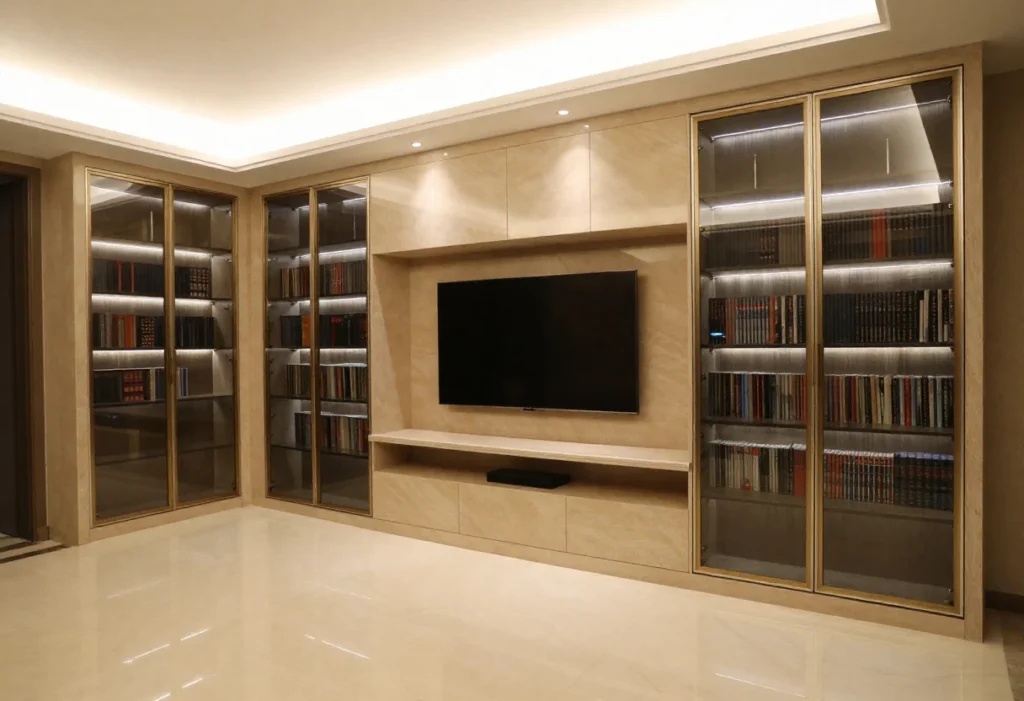
A thoughtfully designed media center protects your electronics, simplifies access, and significantly reduces everyday clutter. Devices such as gaming consoles, streaming boxes, sound systems, and speakers are delicate investments that can easily be damaged by overcrowded shelves, tangled cords, or poor ventilation. Incorporating designated shelving, ventilated cabinets, and built-in cord management solutions ensures proper airflow, prevents overheating, and keeps wiring safely concealed.
At the same time, when every item has a clearly defined place, finding a remote control, game disc, or controller becomes quick and stress-free, eliminating the frustration of searching before movie night or family game time. By providing structured storage for DVDs, accessories, and devices, a well-planned media center prevents piles from accumulating on coffee tables or floors, preserving a clean, organized, and welcoming living space that feels both functional and refined.
Core Components of an Organized Media Center
Adjustable Shelving
Adjustable shelving brings long-term flexibility to your media center, allowing it to adapt as your technology and collection evolve. Televisions become slimmer, speakers vary in height, and gaming consoles change in size with each generation. Shelves that can be repositioned ensure you’re not locked into a layout that no longer fits your devices. This flexibility also accommodates decorative items, books, or framed photos, allowing your media center to balance entertainment with personal style. Over time, adjustable shelving protects your investment by preventing the need for a full redesign when your setup changes.
Open vs. Closed Shelves
Choosing between open and closed storage creates both visual balance and functional efficiency within your media center. Open shelves are ideal for frequently used items such as game consoles, streaming devices, and remotes, offering easy access and proper ventilation. They also allow you to display decorative accents that personalize the space. Closed cabinets, on the other hand, are perfect for DVDs, games, extra cables, and accessories you prefer to keep dust-free or out of sight. By combining both options, you achieve a clean aesthetic while maintaining everyday convenience.
Drawers for Accessories
Dedicated drawers provide concealed storage for smaller items like controllers, charging cables, headphones, and batteries. Without drawers, these accessories often end up scattered across tables or tucked away in unrelated spaces. Smooth-gliding drawers keep essentials organized while ensuring they remain easy to grab during movie nights or gaming sessions. Interior dividers can further separate items to prevent tangling and damage. This structured storage reduces visual clutter while keeping everything within reach.
Built-In Cable Management
Integrated cable management is essential for maintaining a streamlined, professional look. Built-in channels, discreet openings at the back of shelves, and hidden compartments prevent cords from tangling or becoming visible eyesores. Proper cable organization also improves safety by reducing tripping hazards and preventing unnecessary strain on wires. Additionally, managing cords correctly enhances airflow around electronics, helping prevent overheating. The result is a clean, uncluttered media center that looks intentional and functions efficiently.
Media Racks
Vertical media racks provide organized storage for DVDs, Blu-rays, and game discs while keeping titles visible for quick selection. Instead of stacking cases horizontally—where they can become unstable or difficult to browse, vertical racks maintain order and accessibility. Clearly displayed collections make it easier for family members to find and return items to their designated spots. This system not only preserves the condition of your media but also adds a structured, library-like feel to your entertainment area. With proper organization, your collection becomes part of the design rather than a source of clutter.
Organizing Movies and Game Collections
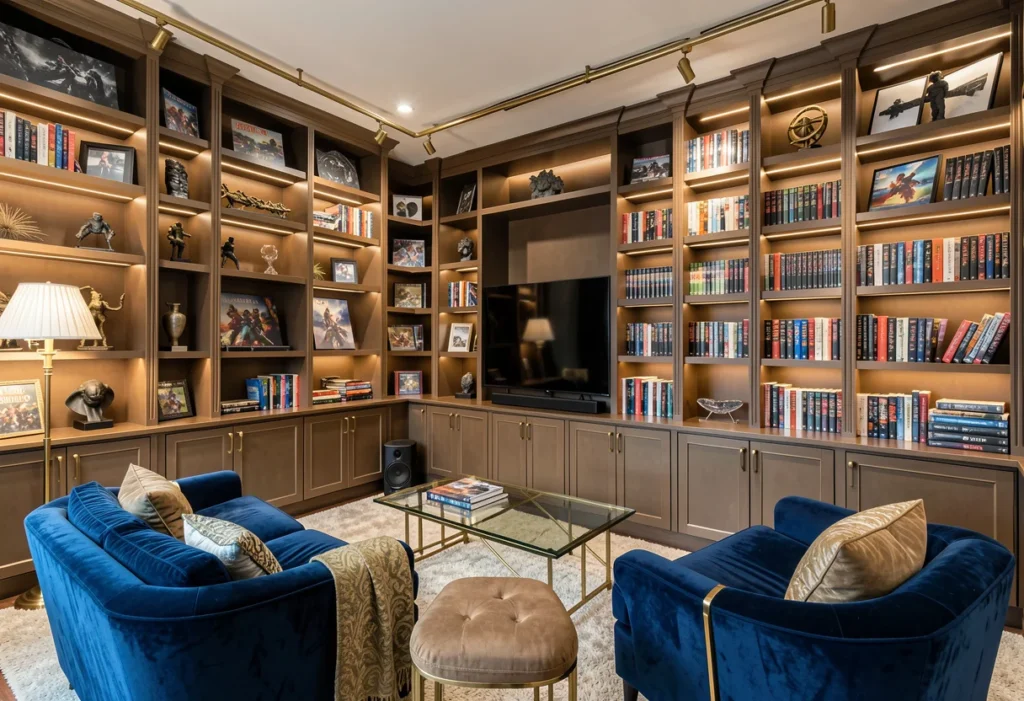
Organizing your media center begins with thoughtfully categorizing your library so everything has a clear and logical place. Separate items by type, genre, or frequency of use such as grouping family movies together for easy movie nights, placing action and adventure films in their own section, and designating specific areas for board games and video games. Once categorized, incorporating a simple labeling system on shelves, drawers, or bins helps ensure that every item is returned to its proper spot, making it easy for the entire family to maintain order. Labels are especially helpful for smaller accessories like controllers and cables, preventing them from getting misplaced.
To keep the space functional and visually balanced, store frequently used movies and current games at eye level while placing less-used or seasonal items on higher or lower shelves. Rotating collections periodically not only keeps your media center organized but also refreshes the space, allowing it to evolve with your family’s changing entertainment preferences.
Storage Solutions for Devices
Keeping your media center organized means giving each electronic component a designated and functional home. Consoles and streaming boxes should be placed on shelves with adequate ventilation space around them to prevent overheating and extend their lifespan especially during long gaming sessions or movie marathons. Gaming controllers benefit from dedicated drawers or charging docks, which keep them neatly stored, fully powered, and ready to use at any time.
For remote controls, small bins, drawer dividers, or even discreet magnetic holders help ensure they stay visible and easy to locate, eliminating the common frustration of searching between cushions. Cables and adapters should be stored in labeled containers or managed with cable organizers and ties to prevent tangling and confusion. By creating intentional zones for each device and accessory, your media center remains efficient, clutter-free, and enjoyable for the whole household.
Custom Media Center Design Ideas
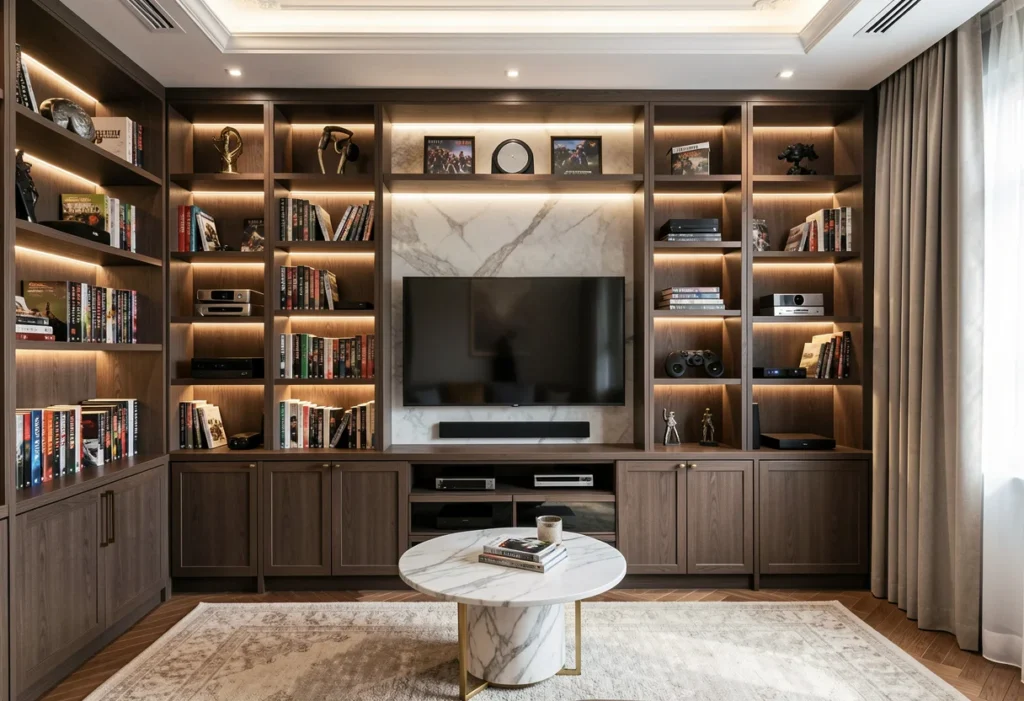
Floating cabinets offer a sleek, modern solution for media centers, creating a streamlined appearance while keeping floor space open and easy to clean. By mounting storage off the ground, you achieve a lighter visual footprint that works especially well in contemporary or smaller living rooms. Built-in units, on the other hand, provide a fully customized approach—blending open shelves for display, closed cabinets for concealed storage, and drawers for accessories into one cohesive, high-functioning media hub.
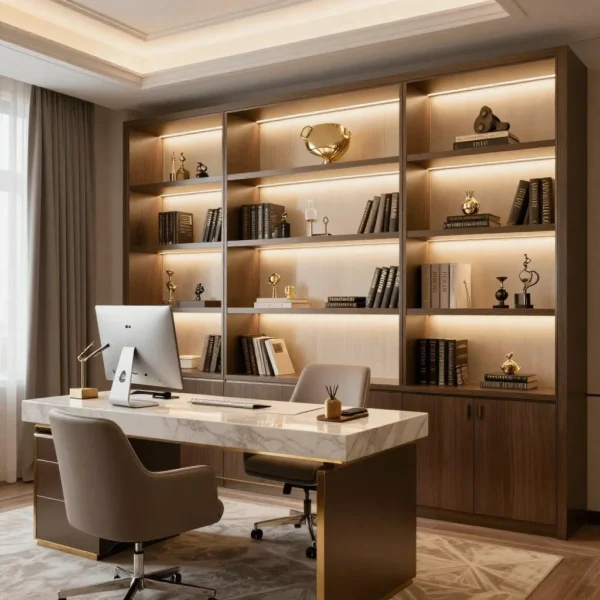
This tailored design ensures every device, cable, and collection has a purposeful place. Integrated LED lighting further elevates the space by adding soft ambiance, improving visibility, and highlighting décor or media displays without introducing visual clutter. For compact homes or multifunctional rooms, multi-purpose furniture that combines seating, storage, and media display into a single integrated piece maximizes efficiency while maintaining style, proving that smart design can be both beautiful and practical.
Media Center Organization by Household Type
Families With Kids
For households with children, safety and accessibility should guide the design of your media center. Lower shelves can be designated for kid-friendly movies, board games, and age-appropriate video games so children can easily reach what they need without climbing or pulling on furniture. Keeping fragile electronics such as gaming consoles, speakers, or streaming devices on higher or enclosed shelves helps prevent accidental damage. Soft-close drawers and rounded edges can further enhance safety. Incorporating labeled bins also teaches children responsibility by encouraging them to return items to their proper place. A thoughtful layout supports independence while maintaining order and protecting valuable equipment.
Gaming Enthusiasts
Gaming enthusiasts often require more specialized storage to accommodate equipment and accessories. Deeper drawers can neatly store controllers, headsets, VR gear, charging cables, and additional peripherals without crowding shelves. Built-in charging stations or integrated power strips ensure multiple devices remain organized and fully powered. Ventilated shelving is especially important for high-performance consoles that generate heat during extended use. Adjustable shelving also allows flexibility as new systems or accessories are added over time. With intentional design, your gaming setup remains immersive, efficient, and clutter-free.
Movie Buffs
For movie lovers with growing collections, dedicated storage keeps everything visible and easy to enjoy. Vertical DVD or Blu-ray racks allow for quick browsing by title or genre, while pull-out bins provide convenient access to larger collections. Display shelves can highlight special editions, box sets, or collectibles, turning your media center into a personalized showcase. Adjustable shelves accommodate varying case sizes and future additions. Proper organization also protects discs from scratches and dust, preserving their quality over time. A well-designed layout ensures your movie nights begin with ease and end with everything neatly returned to its place.
Tips for Small Spaces
Maximize Vertical Space
In smaller living areas, taking advantage of vertical space is key to maintaining both function and openness. Tall shelving units allow you to store devices, media collections, and decorative accents without consuming valuable floor area. By building upward rather than outward, you create ample storage while preserving walking space and preventing the room from feeling crowded. Upper shelves can hold less frequently used items or décor, while mid-level shelves keep everyday essentials within easy reach. This approach keeps your media center organized while maintaining a clean, airy layout.
Multi-Use Storage
A well-designed media center doesn’t have to focus solely on electronics. Combining storage for devices with decorative elements such as books, framed photos, or plants creates visual balance and warmth. Mixing functional and decorative items prevents the space from looking overly technical or cluttered. Closed cabinets can conceal wires and accessories, while open shelves showcase curated décor. This layered approach adds personality and style while still supporting everyday functionality.
Compact Drawers
Small accessories like remotes, charging cables, adapters, and game cartridges can quickly clutter surfaces if left exposed. Incorporating compact pull-out drawers or bins keeps these items organized and out of sight while remaining easily accessible. Drawer dividers further separate items, preventing tangles and confusion. Soft-close mechanisms add durability and a premium feel. With intentional drawer storage, your media center maintains a streamlined appearance without sacrificing convenience.
Common Mistakes to Avoid
Maximizing vertical space is essential for a functional and visually open media center, especially in smaller living areas. Tall shelving units allow you to store devices, media collections, and decorative accents without taking up valuable floor space, keeping the room airy and uncluttered. Upper shelves can house less frequently used items, while mid-level shelves keep everyday essentials within easy reach. Incorporating multi-use storage further enhances both style and functionality by blending electronics with decorative items like books, framed photos, or plants.
Open shelves showcase curated décor, while closed cabinets conceal wires and accessories, creating a balanced and inviting look. Compact pull-out drawers or bins are perfect for small accessories such as remotes, charging cables, adapters, and game cartridges, keeping them organized and easily accessible while maintaining a streamlined appearance. Divider inserts and soft-close mechanisms add structure and durability, ensuring your media center stays efficient, tidy, and stylish.
Combining Media Center Storage With Home Style
A well-designed media center seamlessly balances functionality with aesthetics, transforming your entertainment area into a polished and organized focal point. Custom cabinetry from St James Closets enables homeowners to reflect their personal style while making the most of available storage space. Thoughtful features such as smooth finishes, integrated handles, and intelligently arranged shelves ensure that every device, accessory, and media item has a dedicated place. This attention to detail not only protects electronics and reduces clutter but also creates a cohesive, visually appealing environment. By combining form and function, a custom media center becomes both a practical solution for everyday use and a stylish centerpiece that enhances the overall design of your living space.
Step-by-Step Media Center Organization Plan
| Step 1 – Clear and Assess | Begin by removing all devices, media, and accessories from your existing setup. Take inventory of everything you have, gaming consoles, DVDs, Blu-rays, remotes, cables, and decorative items. This step allows you to see what you truly use, what can be discarded or donated, and what storage needs must be addressed. Understanding the scope of your collection helps you plan shelves, drawers, and cabinets more effectively. It also gives you a chance to clean surfaces and prepare the area for a fresh, organized setup. |
| Step 2 – Categorize Items | Group your media and electronics by type, frequency of use, or family member preference. For example, keep frequently played video games in one section, family movies in another, and accessories like controllers and cables in dedicated drawers or bins. Categorization makes it easier to assign storage zones and ensures that each item has a clear place. This step also highlights which items require special protection, such as delicate electronics or collectible DVDs. |
| Step 3 – Plan Storage Zones | Designate specific areas of your media center for different categories. Use open shelves for items you access often, like consoles and remotes, and closed cabinets for items that need to be dust-free or hidden from view. Drawers can house smaller accessories, while vertical racks can organize discs for easy selection. Planning zones ensures that your layout is both functional and visually balanced. |
| Step 4 – Implement Cable Management | Organize cords and adapters to prevent tangling and maintain a clean appearance. Use built-in channels, clips, or cord organizers to route cables neatly behind shelves and cabinets. Proper cable management not only improves aesthetics but also prevents damage and overheating of electronics. Labeling cables can further simplify future adjustments or troubleshooting. |
| Step 5 – Arrange and Style | Return items to their designated spots, keeping frequently used devices at eye level for easy access. Balance functional storage with decorative touches, such as framed photos or plants, to create a media center that looks polished and intentional. Adjust shelves, drawers, and compartments as needed to optimize both accessibility and appearance. |
| Step 6 – Maintain and Refresh | Regularly revisit your media center to keep it organized and tidy. Rotate seasonal collections, discard outdated media, and ensure accessories are returned to their proper spots. Light dusting, quick wipe-downs, and periodic cable checks will prolong the life of your electronics and keep the space visually appealing. Consistent maintenance ensures your media center continues to function efficiently while remaining a stylish centerpiece in your home. |
Long-Term Benefits of a Well-Organized Media Center
A well-organized media center protects electronics from damage by providing proper ventilation, stable shelving, and designated storage for delicate devices. It reduces clutter and daily stress by keeping remotes, controllers, cables, and media collections neatly arranged, so everything is easy to find when needed. This efficiency speeds up daily routines and makes family movie nights or gaming sessions more enjoyable. At the same time, a thoughtfully designed setup creates a visually appealing focal point that enhances the overall look of your living space. By supporting easy access and allowing for rotation of media collections, it ensures that your entertainment area remains functional, organized, and stylish for years to come.
A cluttered media center can make entertainment stressful rather than relaxing. With smart storage solutions, movies, games, and devices remain organized, accessible, and ready for use. At St James Closets, we design custom media centers that combine style with functionality, keeping your living room tidy and your favorite media always within reach. Contact us today to create a media hub tailored to your lifestyle and space.
A cluttered media center can make entertainment stressful rather than relaxing. With smart storage solutions, movies, games, and devices remain organized, accessible, and ready for use. At St James Closets, we design custom media centers that combine style with functionality, keeping your living room tidy and your favorite media always within reach. Contact us today to create a media hub tailored to your lifestyle and space.